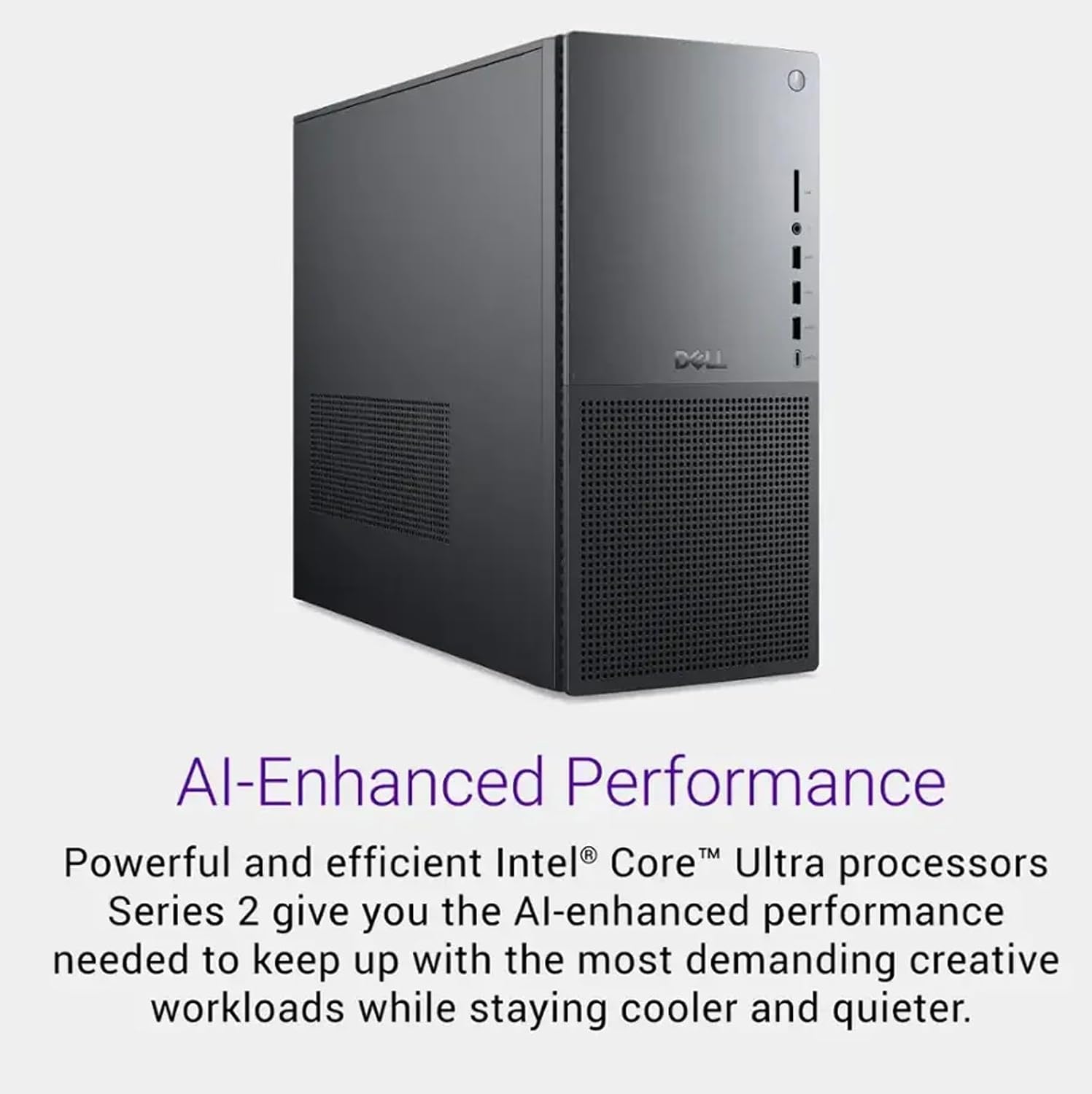
If you’ve ever priced out a custom PC build, you know the drill: pick a processor, find compatible memory, hunt for a graphics card (the component that handles visual rendering and display output), then hope everything fits in the chassis you ordered. It’s genuinely fun if you enjoy that process. If you don’t — if you need a capable workstation on your desk next week because a contract just landed — a pre-configured tower starts to look very attractive. Dell’s Tower Plus, offered with an NVIDIA RTX 5060 discrete GPU (a dedicated graphics card that does its own processing, separate from the main processor), is exactly that kind of machine: a ready-to-ship package aimed at motion designers, video editors, and 3D generalists who want to start billing, not building. This article breaks down what you’re actually buying, where the value is real, and where the compromises live — so you can make the call with clear eyes.
What the RTX 5060 Actually Is in a Professional Context
Let’s start with the GPU, because it’s doing the heaviest lifting for creative work. The NVIDIA RTX 5060 is part of NVIDIA’s Blackwell consumer architecture generation, sitting below the RTX 5070 and well below the professional-grade RTX 4000/5000 Ada Lovelace workstation cards. Per Tom’s Hardware’s RTX 5060 spec analysis, the card ships with 8 GB of GDDR7 VRAM (video memory — the dedicated storage the GPU uses for textures, renders, and active scene data), a 128-bit memory bus, and CUDA core counts that land it in the upper-mainstream tier rather than the enthusiast or professional tier.
That 8 GB figure is the number you need to hold in your head throughout this entire evaluation. It’s not a deal-breaker for every workflow, but it is the ceiling that defines what this machine can and cannot be asked to do.
By the numbers — RTX 5060 in context:
- VRAM: 8 GB GDDR7 (vs. 16 GB on RTX 5070, 48 GB on RTX 4000 Ada professional card)
- Memory bandwidth: ~272 GB/s (manufacturer-rated, per NVIDIA spec sheets)
- CUDA cores: ~3,840 (Blackwell architecture)
- Target TDP (power draw): ~150W — fits standard mid-tower cooling envelopes
For editorial context on where this sits in production workflows, Puget Systems’ GPU benchmark results for applications like DaVinci Resolve and After Effects consistently show that VRAM becomes the binding constraint before raw compute does — especially once you’re working with 4K timelines layered with effects, or viewport-heavy 3D scenes in Blender or Cinema 4D. At 8 GB, the RTX 5060 is comfortable with 1080p and competent at 4K with modest layer counts. It runs into headroom problems when a 3D scene’s texture set alone exceeds 6–7 GB.
Pre-Configured vs. Self-Built: The Tradeoffs Named Explicitly
The core question this article exists to answer is whether the Dell Tower Plus configuration is worth the premium over building your own system around the same GPU. Ars Technica’s analysis of pre-built versus DIY workstation economics (published in 2024) found that pre-configured machines from major OEMs typically carry a 10–20% price premium over equivalent self-built configurations — but that figure excludes the value of several things the pre-built buyer actually receives.
What you’re paying for beyond the components:
System integration and validation. Dell builds and validates these towers as a unit. The memory configuration, PCIe lane routing, BIOS settings, and thermal profile are tested together. For a freelancer without deep hardware experience, a machine that simply works out of the box eliminates a category of risk that’s hard to price.
Warranty and support structure. Dell’s ProSupport tiers (their business-focused support offering, separate from basic consumer warranty) are genuinely useful for people billing by the hour. A component failure on a self-built machine puts you on the hook for diagnosis, sourcing, and installation. On a Dell system, you have a single call center and a defined SLA (service-level agreement — a commitment to response time).
Driver and OS configuration. The Tower Plus ships with Windows 11 Pro pre-loaded and drivers pre-staged. This sounds trivial until you’ve spent an afternoon chasing a GPU driver conflict that’s caused your NLE (non-linear editing application, like Premiere Pro or Resolve) to crash on render export.
Where the pre-built loses:
Upgradeability is constrained but not closed. Dell’s Tower Plus chassis uses a standard ATX form factor, so the GPU is swappable if you outgrow the RTX 5060. The CPU socket situation is more complex — the platform uses Intel’s current-generation desktop socket, and future upgrade paths depend on Dell’s BIOS support roadmap, which is less transparent than a self-built system where you control the motherboard entirely.
ISV certification is absent. This is the point that matters most for studio or facility buyers. ISV certification (Independent Software Vendor certification — a formal validation by the GPU manufacturer and software vendor that a card’s drivers are tested and approved for specific professional applications like Autodesk Maya, SolidWorks, or DaVinci Resolve Studio) is not a feature of the RTX 5060. It’s a GeForce-tier consumer card. Per Puget Systems’ documentation on ISV certification and professional GPUs, the certification process covers driver-level validation for predictable behavior under production conditions. Consumer GeForce drivers are updated aggressively for gaming performance; professional Quadro/RTX Pro drivers are updated conservatively for stability. In a studio pipeline where a driver update can break a plugin dependency, that distinction matters.
VRAM ceiling is real for growing workloads. If your studio is scaling from one seat to five, or you’re moving from commercial editing into longer-form VFX work, you’ll outgrow 8 GB faster than the rest of the machine. The honest answer is that this configuration is positioned for the entry-to-mid creative professional, not the facility pipeline that’s running multi-pass Redshift renders.
Who Should Actually Buy This Configuration
Here’s the decision frame this article is building toward. The Dell Tower Plus with RTX 5060 makes sense under a specific set of conditions — and doesn’t under others.
If X, then Y — the decision rules:
If you’re a freelance motion designer or video editor working primarily in 1080p or light 4K delivery, the RTX 5060 handles GPU-accelerated effects in After Effects and Premiere Pro competently, and the pre-built convenience eliminates setup friction on a real deadline. PCMag’s review of the Dell XPS Tower Plus platform noted the system’s strong out-of-box configuration and thermal headroom for sustained creative workloads. Buy this configuration.
If you’re an architect or visualization professional doing real-time viewport work in Enscape or D5 Render, the 8 GB VRAM ceiling will limit scene complexity. An RTX 5070 or a mid-range professional GPU configuration gives you the headroom your scene budgets actually need. Step up.
If you’re a studio purchasing multiple seats for an editorial team where the work is primarily 1080p finishing and motion graphics, not heavy 3D, this machine at a pre-configured price point makes procurement straightforward and support manageable. Multiply the per-seat convenience value by the number of seats. Consider in volume — but verify support tier.
If you’re running a DaVinci Resolve color suite, 3D rendering node, or multi-pass compositing pipeline, the RTX 5060 is the wrong GPU category regardless of the chassis it lives in. You’re looking at RTX 4000 Ada or Radeon Pro W7900 territory, in a machine like a Puget Systems Genesis or HP Z8 Fury G5. Don’t buy this configuration for that work.
If you’re a freelancer transitioning from a consumer laptop to your first dedicated workstation, this is a strong entry point. The price-to-capability ratio is defensible, the support structure is real, and the upgrade path (RAM expansion, NVMe storage expansion, eventual GPU swap) is accessible without deep hardware knowledge. This is probably the right first step.
The Honest Ceiling and What Comes Next
One thing worth naming directly: the RTX 5060’s architectural generation is solid. NVIDIA’s Blackwell architecture brings improved tensor core performance for AI-accelerated features — background removal in Premiere, AI noise reduction in Resolve, and similar inference-heavy tasks that have become part of standard editorial workflows. On that axis, the RTX 5060 represents genuine forward progress over the previous generation’s equivalent tier, per NVIDIA’s published architecture documentation and third-party analysis at Tom’s Hardware.
But architectural generation doesn’t solve VRAM math. The 8 GB ceiling is what it is. If your work consistently pushes GPU memory — dense 3D scenes, large texture sets, complex multi-layer composites in real-time playback — the ceiling arrives before the compute does. The machine won’t fail; it’ll spill to system RAM and slow down, which is a manageable situation for intermittent heavy tasks but an irritating one for daily production.
The practical upgrade sequence, if you buy this machine and outgrow it, is a GPU swap to an RTX 5070 or 5080 in the same chassis. The Tower Plus form factor accommodates full-length, dual-slot cards without chassis modification. That’s a meaningful design choice that extends the platform’s useful life beyond the initial GPU spec.
What we’d suggest: buy the pre-configured system for the workflow it actually fits today, not the workflow you’re planning for in two years. The two-year version of your pipeline likely has different requirements across the board — and a different budget to match. Purchasing decisions made on projected future scope tend to either overspend on capability that never gets used, or mismatch the wrong bottleneck entirely. The RTX 5060 configuration earns its place as a capable, honest entry-to-mid machine for the professional creative who needs to start billing next week. It’s not the machine for a render farm or a color-critical VFX suite — and it doesn’t pretend to be.
For readers scaling toward that tier, Puget Systems’ Genesis line and the HP Z8 Fury G5 remain the benchmarks for serious multi-seat and pipeline-grade configurations. But for the freelancer or small-team buyer who wants a configured, supported, ready-to-ship workstation that handles the real work of motion design and video editing without a weekend of assembly — the Dell Tower Plus with RTX 5060 is a defensible, practical choice in the 2026 pre-built market.