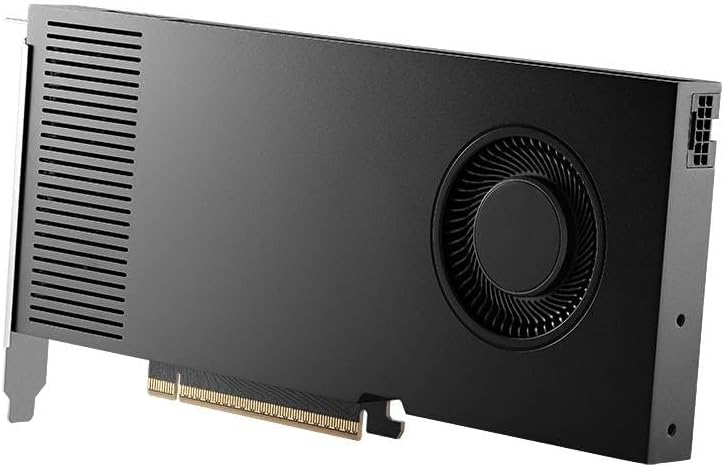
If you’re shopping for a workstation graphics card and you’ve heard the phrase “ISV-certified GPU” — ISV stands for Independent Software Vendor, meaning the company that makes the engineering software you use — this article is built to decode exactly what that certification is, why it matters, and how it should shape your buying decision. In plain terms: not every fast gaming GPU will work correctly inside professional CAD (computer-aided design) software like CATIA, SolidWorks, or Siemens NX. These applications depend on specific GPU drivers and validated hardware configurations to guarantee that what you see on screen — a surface curvature highlight, a section cut rendering, a tolerance visualization — is geometrically accurate, not just visually plausible. The stakes are real: an uncertified GPU can introduce rendering artifacts, crash the viewport, or silently miscalculate display geometry. That last failure mode is the dangerous one. We’ll walk through how the certification matrices from NVIDIA, AMD, Dassault Systèmes, and Siemens actually work, what the tradeoffs look like at different price points, and how to make a clean decision given your specific application stack.
| EDITOR'S PICK[AMD Radeon™ Pro W7800](https://www.amazon.com/dp/B0C5DLBMTP?tag=greenflower20-20) | Mid-tier[ASRock Radeon AI PRO R9700 Crea…](https://www.amazon.com/dp/B0G1WZMKW6?tag=greenflower20-20) | Budget pick[PNY NVIDIA RTX A4500 Profession…](https://www.amazon.com/dp/B09SD9RWT5?tag=greenflower20-20) | |
|---|---|---|---|
| GPU Memory | 32GB GDDR6 | 32GB GDDR6 | 20GB GDDR6 ECC |
| CUDA Cores / CUs | 70 CUs | — | 7168 CUDA Cores |
| Boost Clock | — | 2920 MHz | — |
| DisplayPort | DisplayPort 2.1 | DisplayPort 2.1a | DisplayPort 1.4a |
| TDP | 260W | — | — |
| Price | $2,654.91 | $1,349.99 | $1,274.95 |
| See on Amazon → | See on Amazon → | See on Amazon → |
What ISV Certification Actually Certifies (and What It Doesn’t)
The word “certified” carries a lot of weight here, so let’s be precise. ISV certification is a joint validation program run between a GPU manufacturer — NVIDIA or AMD — and the software developer. The GPU maker submits hardware and driver builds; the ISV runs its internal test suite against a defined set of viewport operations, shader behaviors, and API calls. If the combination passes, it gets listed in the software’s hardware compatibility matrix.
What certification confirms:
- The GPU’s OpenGL or Vulkan implementation behaves correctly for that software’s rendering pipeline under that driver version
- Known visual artifacts, precision errors, and driver-level crashes have been regression-tested out
- The GPU vendor will release application-specific driver fixes when that software issues a new version
What certification does not confirm:
- Raw performance. A certified GPU can still be slower than an uncertified one at the same price.
- Future compatibility. Certification is version-locked: a GPU certified for SolidWorks 2025 SP1 may not be listed for 2026 without a new round of testing.
- Stability under every workflow. Certification covers standard viewport use; it doesn’t validate edge-case simulation rendering or third-party render plugin behavior.
This distinction matters immediately for anyone running a hybrid stack — say, CATIA V5 for surface modeling alongside KeyShot for photoreal rendering. CATIA’s certification matrix covers the CAD viewport. KeyShot’s GPU rendering path is a separate certification question entirely.
Per the Dassault Systèmes CATIA Hardware Certification Guide (published via the 3DS support portal), certification testing includes interactive display list validation, large assembly handling under Model Based Definition workflows, and DirectX fallback behavior. Dassault explicitly states that it does not certify consumer GeForce or Radeon RX cards and that their use “may produce unexpected results.” That language is deliberately soft, but engineers who’ve encountered a silently wrong curvature comb on an uncertified card know what “unexpected” looks like in production.
The Certification Matrix by Application: CATIA, SolidWorks, and Siemens NX
These three platforms sit at the heart of industrial mechanical design, and each manages certification slightly differently. Understanding the variation matters because many shops run more than one.
CATIA V5 and 3DEXPERIENCE
Dassault Systèmes maintains its hardware certification list at the 3DS support portal, updated approximately quarterly. As of mid-2026, the certified GPU lineup favors:
- NVIDIA RTX A-series and RTX 4000/5000 Ada Generation professional cards
- AMD Radeon Pro W7700 and W7900
- Legacy NVIDIA Quadro RTX cards still appear for CATIA V5 R2024 and earlier
The critical nuance here: CATIA V5 and 3DEXPERIENCE (Dassault’s cloud-platform version) maintain separate certification matrices. A Radeon Pro W7900 certified for 3DEXPERIENCE Collaborative Designer may not be on the V5 R2025 matrix yet. If your shop runs both — common during migration periods — you need to cross-reference both lists before procurement.
SolidWorks
The SolidWorks GPU certification matrix (maintained at solidworks.com/sw/support/videocardtesting.html) is the most accessible of the three and is updated with each service pack release. The SolidWorks matrix uses a tiered format: cards are listed as “Certified,” “Certified – Performance Tested,” or “Not Tested.” That third category is not the same as “incompatible,” but Dassault’s guidance is clear that only the first two receive active driver fix priority.
Notable pattern from the SolidWorks 2025/2026 matrix cycles: the NVIDIA RTX 4000 Ada (the mid-range professional card in the Ada Lovelace generation) appears across the most SolidWorks version/service pack combinations of any current GPU. Puget Systems’ hardware recommendations for SolidWorks, published on their site, independently arrive at the same conclusion — the RTX 4000 Ada hits a performance-per-dollar sweet spot for SolidWorks viewport and Visualize rendering that neither the entry-level RTX 2000 nor the premium RTX 5000/6000 Ada significantly improves for most single-seat workflows.
Siemens NX
Siemens maintains its certified hardware list through the Siemens Community portal (community.sw.siemens.com). The NX certification program is arguably the most demanding of the three for one specific reason: Siemens NX relies heavily on JT format visualization and NX Realize Shape subdivision surface modeling, both of which stress GPU tessellation and display list management in ways that are less common in SolidWorks workflows.
Per the Siemens NX Certified Hardware List, AMD Radeon Pro W7900 and NVIDIA RTX 5000 Ada are the two cards with the broadest certification coverage across NX 2306 through NX 2406 releases as of mid-2026. For shops running large digital twin assemblies or NX for Manufacturing with multi-axis simulation visualization, the VRAM ceiling matters significantly — and the W7900’s 48 GB GDDR6 or the RTX 6000 Ada’s 48 GB GDDR6 ECC become decision-relevant, not spec-sheet luxury.
By the Numbers: Certification Coverage at a Glance
| GPU | CATIA V5/3DX | SolidWorks 2025/2026 | Siemens NX 2306–2406 | VRAM | Street Price (Mid-2026) |
|---|---|---|---|---|---|
| NVIDIA RTX 4000 Ada | ✓ (3DX) | ✓ Certified | ✓ | 20 GB ECC | ~$1,250 |
| NVIDIA RTX 5000 Ada | ✓ Both | ✓ Perf. Tested | ✓ Broad | 32 GB ECC | ~$3,200 |
| AMD Radeon Pro W7700 | ✓ (V5) | ✓ Certified | Partial | 16 GB | ~$1,100 |
| AMD Radeon Pro W7900 | ✓ Both | ✓ Certified | ✓ Broad | 48 GB | ~$3,800 |
| NVIDIA RTX 6000 Ada | ✓ Both | ✓ Perf. Tested | ✓ Broad | 48 GB ECC | ~$6,800 |
Street prices sourced from aggregated retailer listings, May 2026. Certification status reflects published matrices; always verify against current software version before procurement.
The Tradeoffs No One Puts on the Matrix
Certification solves the “will it work correctly” question. It does not solve three adjacent problems that matter just as much in a production environment.
Driver lag on new software releases. When SolidWorks or CATIA ships a major version update, certified driver builds from GPU vendors typically follow on a 4–8 week lag. Per Puget Systems’ hardware recommendation articles for CAD applications, their guidance is consistently to avoid updating to a new CAD major version in the first 30 days if you’re running a production seat — not because the software is broken, but because the certified driver may not be current. This is a workflow management issue, not a hardware selection issue, but it affects which GPU makes sense if you’re on a software maintenance cycle that forces annual upgrades.
The OpenCL and CUDA split. CATIA and NX use OpenGL as their primary viewport API, but simulation and analysis modules increasingly offload computation to GPU. CATIA’s FEM solver, NX Nastran GPU acceleration, and SolidWorks Simulation all use either CUDA (NVIDIA-only) or OpenCL. If your workflow includes simulation alongside modeling, an AMD Radeon Pro — even fully certified for the viewport — cannot access CUDA-based solver acceleration. That’s not a certification failure; it’s an architecture boundary. AMD’s OpenCL performance in NX simulation paths is documented in Siemens’ own published performance data as competitive in some scenarios and trailing in others depending on the solver type.
Multi-application shops. The matrix gets complicated fast when a single workstation runs CATIA for surfacing, Siemens NX for manufacturing simulation, and a GPU renderer like V-Ray or Redshift for visualization. Each application has its own certification list. The practical answer from Puget Systems’ and workstationspecialist.com’s published guidance is the same: NVIDIA RTX 5000 Ada or RTX 6000 Ada, because NVIDIA’s professional driver stack has the broadest cross-ISV coverage and CUDA access for renderers — even though the AMD W7900’s VRAM-per-dollar ratio is compelling on paper.
How to Read the Matrix Before You Buy
The certification databases are publicly accessible but not uniformly easy to navigate. Here’s a repeatable decision workflow:
Step 1: Identify your exact software version and service pack. Certification is version-locked. “SolidWorks 2025” and “SolidWorks 2025 SP3” may have different certified GPU lists.
Step 2: Cross-reference both the GPU vendor matrix and the ISV matrix. NVIDIA and AMD each maintain their own certification databases; so do Dassault, Siemens, and SolidWorks. A GPU appearing only on the vendor’s list but not the ISV’s list has not completed the full validation cycle.
Step 3: Check the driver version in the certification entry. Certification is tied to a specific driver build. The NVIDIA RTX 4000 Ada certified for SolidWorks 2025 SP2 at driver 552.44 may not carry that certification forward to driver 560.x without a new entry. Running a newer driver than the certified build is common and usually fine in practice, but it technically takes you out of the supported configuration.
Step 4: Factor your VRAM ceiling against assembly complexity. The AMD Radeon Pro W7900 (48 GB) and NVIDIA RTX 6000 Ada (48 GB) are the current upper bound for certified professional cards in mid-2026. For large NX assemblies with thousands of components or full digital twin visualizations, published benchmarks from Siemens and Puget Systems both indicate that VRAM ceiling is a harder constraint than raw shader throughput.
The Decision Rule
If you’re running a single-application mechanical design seat — one engineer, SolidWorks or CATIA, no GPU rendering — the NVIDIA RTX 4000 Ada is the clearest certified option at its price point. It covers the broadest surface area of both applications’ certification matrices without overpaying for VRAM you won’t fully address.
If you’re running Siemens NX with simulation modules, or managing a multi-seat shop where any seat runs more than one major ISV application, move to the NVIDIA RTX 5000 Ada or AMD Radeon Pro W7900. The decision between them hinges on one question: does anyone on that seat need CUDA-based solver or render acceleration? If yes, NVIDIA. If the workflow is pure viewport plus OpenCL simulation, the W7900’s VRAM-per-dollar ratio earns a serious look.
If you’re configuring render nodes or digital twin visualization workstations where VRAM capacity is the primary constraint and viewport certification is secondary, the RTX 6000 Ada or W7900 at 48 GB are your ceiling — and the RTX 6000 Ada’s ECC memory adds a meaningful reliability margin that matters in simulation contexts, per NVIDIA’s own professional GPU documentation.
The matrix isn’t a bureaucratic formality. It’s the closest thing professional CAD hardware has to a guarantee that the tool you’re billing on will behave the way the software developer intended. That’s worth cross-referencing before the purchase order goes out.