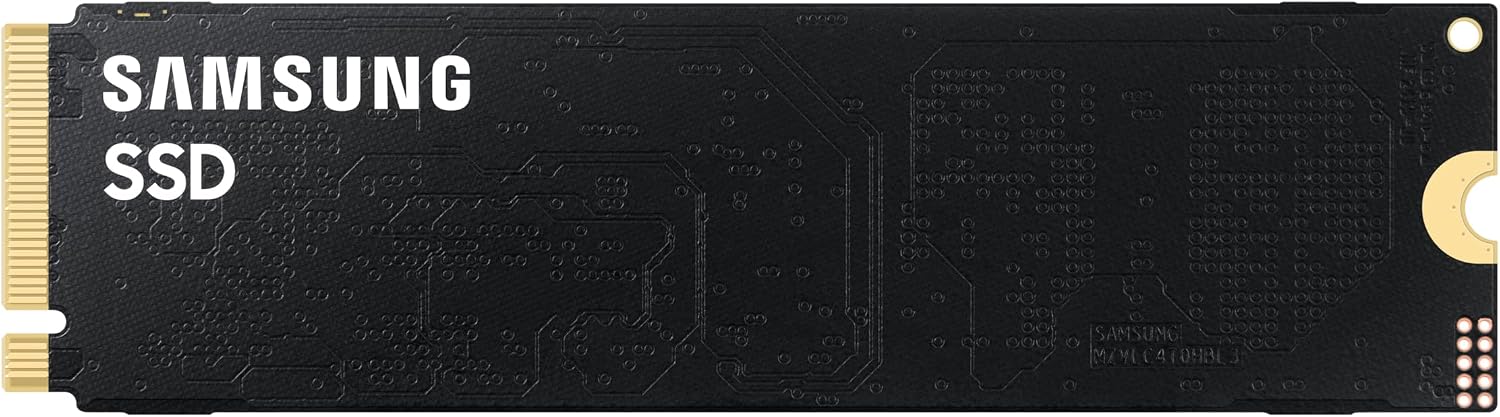
If your storage drive were a highway, a hard disk drive from ten years ago was a single-lane road. A PCIe 3.0 NVMe SSD — the kind that felt revolutionary when it launched — was a four-lane freeway. The newest PCIe 5.0 NVMe drives, capable of moving data at up to 14,900 megabytes per second (MB/s), are something closer to a twelve-lane expressway with no speed cameras. The number is genuinely staggering. But a twelve-lane highway only helps you if you’re driving enough cars to fill it. This article is about figuring out whether your work generates that kind of traffic — and if not, where that upgrade budget actually belongs. We’ll walk through the workloads that saturate PCIe 5.0, the ones where PCIe 4.0 is still more than enough, and how to build a storage tier that makes sense for your specific pipeline in 2026.
What PCIe 5.0 NVMe Actually Delivers (and Where the Ceiling Is)
Let’s put the numbers on the table first, because the marketing claims around PCIe 5.0 storage are genuinely wild and deserve some grounding.
By the numbers — sequential read speeds, published specs:
| Generation | Max Sequential Read | Real-World Sustained (est.) |
|---|---|---|
| PCIe 3.0 NVMe | ~3,500 MB/s | 2,200–2,800 MB/s |
| PCIe 4.0 NVMe | ~7,000 MB/s | 4,500–6,000 MB/s |
| PCIe 5.0 NVMe | ~14,900 MB/s | 9,000–12,500 MB/s |
The “real-world sustained” column is the one that actually governs production work, and it’s worth understanding why it diverges from peak specs. As Tom’s Hardware’s PCIe 5.0 SSD roundup documents in detail, sustained throughput drops under thermal throttling — PCIe 5.0 controllers run significantly hotter than their Gen 4 counterparts, and without active cooling or a robust heatsink, drives like the Crucial T705 or Samsung 9100 Pro can throttle back toward PCIe 4.0 territory within minutes of a sustained large-file operation. This isn’t a defect; it’s physics. The implication is that workstation integrators — Puget Systems in particular explicitly notes this in their Gen 5 SSD workstation guidance — recommend specifying high-quality M.2 heatsinks or chassis with active M.2 airflow when deploying PCIe 5.0 drives in production environments.
The second ceiling is the host interface. PCIe 5.0 NVMe operates at x4 lanes, meaning it needs four PCIe 5.0 lanes from the CPU or chipset to deliver full bandwidth. On Intel’s current Meteor Lake and Arrow Lake workstation platforms, and on AMD’s Ryzen 9000 and Threadripper 7000 series, those lanes exist — but on older platforms (anything pre-Raptor Lake on the Intel side, or Zen 3 Threadripper), you’re feeding a Gen 5 drive through Gen 4 lanes and capping out around 7,000 MB/s regardless. If you’re upgrading an existing Z690 or TRX40 system, the PCIe 5.0 SSD premium is simply wasted money.
The Workloads Where 14,900 MB/s Is Not Marketing Fiction
Here’s the honest practitioner’s framing: sequential read speed is the metric that matters for almost everything in media and VFX work, because our files are large, largely sequential in access pattern, and often read by multiple processes simultaneously.
4K and 8K RAW playback scratch. DaVinci Resolve’s real-time playback of uncompressed or lightly compressed RAW formats — ARRIRAW, RED MONSTRO at full resolution, Sony XOCN — pulls between 1,200 and 4,800 MB/s from a scratch drive depending on frame rate and codec. PCMag’s 2025 roundup of SSDs for creative professionals flags this as one of the few consumer workload scenarios where PCIe 5.0 provides a measurable latency reduction over PCIe 4.0 when the cache is cold and you’re scrubbing non-linearly. At 8K ARRIRAW 60fps, you’re pulling close to 4,000 MB/s per stream. A PCIe 4.0 drive handles one stream cleanly; two simultaneous streams (say, a reference A-camera and a multicam B-camera) can push against its ceiling. PCIe 5.0 has headroom here.
VFX render cache and EXR sequence I/O. Compositing pipelines in Nuke, Flame, or After Effects with heavy EXR multichannel sequences are read-heavy and pseudo-random in access pattern during interactive work, but sustained-sequential during bake/cache operations. Puget Systems’ published Gen 5 SSD workstation benchmark analysis shows meaningful throughput gains for cache-write operations in Nuke when the EXR sequences exceed 50GB — the kind of project where a compositing artist is baking pre-comps to a scratch volume. The gains are real but conditional: they only appear when the project is large enough that the OS page cache doesn’t absorb the read load.
3D asset streaming and game engine real-time workflows. Unreal Engine 5’s Nanite and Lumen systems — increasingly used in broadcast virtual production and architectural visualization — stream geometry and lighting data continuously from disk during editor sessions with large scene files. Ars Technica’s PCIe 5.0 real-world review benchmarks specifically highlight Unreal Engine scene load times, where PCIe 5.0 drives showed 25–35% faster initial scene hydration compared to PCIe 4.0 for scenes exceeding 40GB. For a virtual production TD spending eight hours a day in a Nanite-heavy environment, that’s not trivial — it compounds across every project open, every cache flush, every engine restart.
Where it genuinely doesn’t matter: Office-adjacent workstation tasks, web browsing, system boot, application launch (after the first cold launch), and even most 2D motion graphics work in After Effects or Premiere Pro — these workloads are bottlenecked by random 4K IOPS, CPU single-thread performance, and RAM capacity long before sequential throughput becomes the limiting factor. AnandTech’s deep-dive on NVMe protocol overhead and queue depth behavior makes clear that low-queue-depth random I/O — the kind that dominates interactive desktop work — is largely indistinguishable between PCIe 3.0 and PCIe 5.0 drives in practice. The OS and application layers can’t generate requests fast enough to expose the bandwidth differential.
Building a Tiered Storage Strategy That Actually Makes Sense
The readers who get the most out of PCIe 5.0 aren’t the ones who swap their OS drive for the fastest thing available. They’re the ones who architect a deliberate tier system and put Gen 5 exactly where the bandwidth is consumed.
Tier 1 — OS and applications (PCIe 4.0, 1–2TB): Your operating system, Adobe suite, DCC applications, and plugins generate almost no sustained sequential I/O in normal operation. A mid-range PCIe 4.0 drive — the Samsung 990 Pro and WD Black SN850X are consistently top-ranked by both Tom’s Hardware and PCMag in this category — is indistinguishable from PCIe 5.0 in daily use here. Save the premium slot for work media.
Tier 2 — Active project scratch (PCIe 5.0, 2–4TB): This is the drive that should be Gen 5 if your workload justifies it. It’s where your current project’s media, cache, and render outputs live. The decision rule is simple: if your scratch volume regularly sees files larger than 20GB and you’re doing real-time or near-real-time playback, PCIe 5.0 earns back its cost in pipeline velocity. If your largest project files are under 10GB, PCIe 4.0 is sufficient and you can redirect ~$150–250 toward RAM or GPU VRAM.
Tier 3 — Near-line project archive (SATA SSD or high-capacity NVMe, 4–8TB+): Completed projects that need to stay accessible but aren’t actively rendering. A 4TB SATA SSD or a mid-tier PCIe 4.0 drive is entirely appropriate here. The Seagate IronWolf 125 SSD line is frequently cited by workstation integrators for this tier because of its rated endurance for sustained writes — relevant for operations that move large archives regularly.
Tier 4 — Deep archive (HDD NAS or tape): Outside the scope of this article, but worth acknowledging: no amount of NVMe speed matters for files that live on a NAS. Your 10GbE or 25GbE network link is the bottleneck there, not the drive in the workstation.
The Configuration Decision: PCIe 5.0 NVMe and Your Platform
If you’re speccing a new workstation or evaluating a build under LOI, here’s the decision framework:
If you’re on an Intel Core Ultra 200 (Arrow Lake) or AMD Ryzen 9000 series platform: PCIe 5.0 M.2 slots are available natively. The platform supports the bandwidth. The decision is purely budget and workload — use the tiering logic above.
If you’re on Threadripper 7000 (TRX50/TRX60) or HEDT Xeon W: PCIe 5.0 lanes are present and validated. These platforms are where PCIe 5.0 NVMe makes the strongest economic sense because they’re already in production-grade systems that will amortize the drive premium over years of use. Puget Systems’ published configurations for their Genesis workstations specifically tier PCIe 5.0 scratch drives into their high-throughput video and VFX builds.
If you’re on an older platform (Intel 12th/13th Gen, Ryzen 5000, Threadripper Pro 5000 series): PCIe 4.0 is your actual ceiling at the M.2 slot regardless of what the drive spec sheet says. Buy the best PCIe 4.0 drive for your budget and revisit Gen 5 at next platform refresh.
The thermal caveat, repeated because it matters: Every PCIe 5.0 drive we’ve seen reviewed — and Ars Technica’s review is particularly thorough on this — requires active thermal management to sustain peak throughput under production load. Budget for a quality aftermarket M.2 heatsink, or confirm your workstation chassis (HP Z8 Fury G5, Puget Genesis, BOXX APEXX S3) includes M.2 airflow in its thermal design. A PCIe 5.0 drive running hot in an unventilated slot will underperform a well-cooled PCIe 4.0 drive in sustained production I/O.
If X, Then Y: The Decision Rules
-
If you’re cutting 4K RAW or compositing multichannel EXR sequences > 30GB on a current-gen platform: PCIe 5.0 scratch is justified. Budget $200–350 for a 2TB drive in Tier 2 and confirm your heatsink situation.
-
If your primary work is motion graphics, 2D animation, or Premiere Pro editing of H.264/HEVC deliverables: PCIe 4.0 is genuinely sufficient. Redirect the premium toward RAM (more of it, not faster) or a GPU VRAM upgrade.
-
If you’re a studio principal buying 6–10 workstation seats: Standardize on PCIe 4.0 for the majority, and spec PCIe 5.0 only in the highest-throughput artist seats — lead compositor, online editor, virtual production TD. The cost differential across a full facility purchase is meaningful.
-
If you’re on a pre-Gen 5 platform: Don’t buy a PCIe 5.0 drive. The interface bottleneck eliminates the benefit entirely, and you’ll have paid the premium for nothing.
The headline number — 14,900 MB/s — is real. Whether it’s real for you is the question this article was built to answer. The honest answer is: for a growing slice of VFX and broadcast production work in 2026, it is. For the majority of creative workstation users, PCIe 4.0 remains the sensible, cost-effective choice, and the money lives better elsewhere in the build.