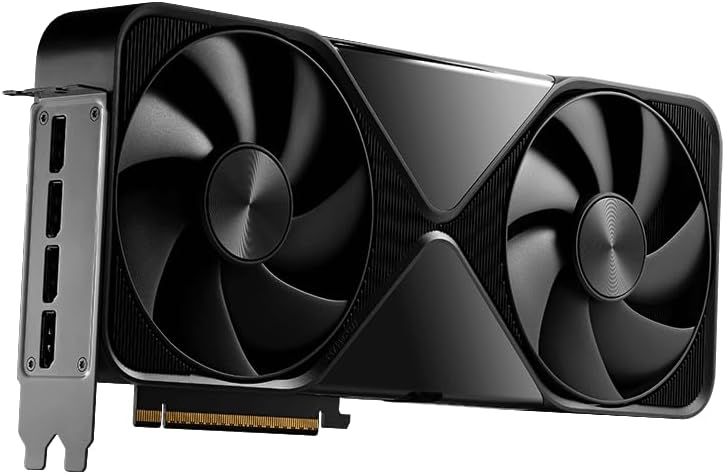
If you’ve ever watched a GPU render engine crash with a “not enough memory” error at 11 PM the night before a client delivery, you already understand what VRAM provisioning means in practice. VRAM — short for Video RAM, the dedicated memory pool that lives directly on your graphics card — is what a GPU render engine uses to hold your scene’s geometry, textures, lighting data, and cached ray paths all at once. Unlike system RAM (the memory your CPU uses), VRAM can’t easily borrow headroom from elsewhere; when it’s full, your render either crashes, falls back to much slower CPU mode, or silently degrades quality. The amount of VRAM you need depends entirely on the complexity of your scenes, and getting that number wrong before a purchase is a mistake that follows you through every deadline. This article maps the real VRAM demands of today’s major GPU render engines to the professional cards actually available in mid-2026, with enough decision math that you can size your next workstation GPU with confidence.
| EDITOR'S PICK[AMD Radeon™ Pro W7800](https://www.amazon.com/dp/B0C5DLBMTP?tag=greenflower20-20) | Mid-tier[AMD Radeon Pro W7700 16GB (RDNA…](https://www.amazon.com/dp/B0CQ8R7J1M?tag=greenflower20-20) | Budget pick[ASUS SFF-Ready Prime NVIDIA GeF…](https://www.amazon.com/dp/B0DS6V1YSY?tag=greenflower20-20) | |
|---|---|---|---|
| GPU Memory | 32GB GDDR6 | 16GB | 12GB GDDR7 |
| TFLOPS | 45 TFLOPS | — | — |
| TDP | 260W | — | — |
| DisplayPort | DisplayPort 2.1 | 4X DisplayPort 2.1 | DP 2.1 |
| AV1 Encoding | ✓ | — | — |
| Price | $2,654.91 | $999.00 | $641.99 |
| See on Amazon → | See on Amazon → | See on Amazon → |
Why Scene Complexity Eats VRAM Faster Than You Expect
The mental model most artists start with — “I’ll get 16 GB, that should be plenty” — tends to collapse the first time a full-environment architectural visualization scene or a multi-layer VFX composite hits the render queue. Here’s why that happens.
Displacement and subdivision multiply geometry in memory. A single architectural surface with 4K displacement applied can expand from a few thousand polygons to tens of millions during render time. Chaos Group’s V-Ray GPU scene memory documentation notes that displacement is one of the primary drivers of unexpected VRAM exhaustion, because the tessellated geometry must fit in VRAM in its fully subdivided state, not its proxy state.
Textures are the other killer. A single production-quality material set for one hero asset — 4K albedo, roughness, metalness, normal, and displacement — consumes roughly 300–500 MB depending on format. Scale that to 40 or 60 unique material sets across a scene, add an HDRI environment and several photometric light IES profiles, and you’re routinely at 8–12 GB before a single object is instanced or a fur simulation is loaded.
Multi-GPU doesn’t scale the way you hope. NVLink (NVIDIA’s high-bandwidth bridge technology for connecting two GPUs so their memory pools appear unified to the render engine) was available on previous-generation Quadro cards and allowed, say, two 24 GB cards to present 48 GB of addressable VRAM. On Ada-generation workstation GPUs, NVLink is only supported on the RTX 6000 Ada (48 GB). Below that tier, two GPUs in the same system do not pool their memory — each card must independently hold the full scene. That’s a critical architectural fact that Puget Systems’ GPU rendering performance reviews flag repeatedly when discussing multi-GPU render farm configurations.
Engine-specific overhead matters. OctaneRender, Redshift, V-Ray GPU, and Arnold GPU all manage VRAM differently. Redshift is generally more aggressive about compressing textures in VRAM, which gives it a slight efficiency advantage in texture-heavy scenes per aggregated user reports in production forums and third-party reviews at Tom’s Hardware. OctaneRender historically holds more scene data resident simultaneously, which yields faster iteration but demands more headroom.
The VRAM Tiers: A Practical Map to the Current Card Lineup
Here’s where the decision framework lives. By mid-2026, the professional GPU market has consolidated around a readable set of VRAM tiers. We’re focusing on workstation-class cards with ISV-certified drivers — not gaming GPUs, which lack the validated driver stacks that DCCs (digital content creation applications) like Autodesk Maya, Cinema 4D, and SideFX Houdini formally require for production use.
By the numbers: VRAM tiers and their practical production ceiling
| Card | VRAM | Realistic Scene Ceiling (GPU Render) | Street Price (mid-2026 est.) |
|---|---|---|---|
| NVIDIA RTX 4500 Ada | 24 GB GDDR6 | Mid-complexity arch-viz, motion graphics, single-hero VFX assets | ~$2,200–$2,800 |
| AMD Radeon Pro W7900 | 48 GB GDDR6 | Large arch-viz, multi-hero characters, full-environment CG | ~$3,800–$4,500 |
| NVIDIA RTX 4000 Ada SFF | 20 GB GDDR6 | Freelance production, smaller VFX, broadcast graphics | ~$1,250–$1,600 |
| NVIDIA RTX 6000 Ada | 48 GB GDDR6 | Simulation, full-CG feature work, NVLink-capable | ~$6,500–$7,500 |
Prices are estimated from aggregated retailer data as of Q2 2026. Puget Systems and PCMag workstation GPU reviews informed the ceiling characterizations above.
The 24 GB tier: NVIDIA RTX 4500 Ada
The RTX 4500 Ada is where many mid-tier studios land their render workstations. PCMag’s 2024 workstation GPU review of the RTX 4500 Ada characterizes it as a capable V-Ray GPU and Redshift workhorse at its price point, with the caveat that 24 GB becomes a meaningful constraint once arch-viz scenes incorporate foliage systems or hero vehicles with layered procedural shaders. For motion designers and broadcast video editors running After Effects with GPU-accelerated effects and Redshift for Cinema 4D, 24 GB is genuinely comfortable — the scenes don’t scale to feature-film complexity.
If you’re a freelancer doing commercial product visualization or motion design with occasional 3D integration, 24 GB is a defensible purchase. If your work regularly includes full exterior architectural environments with landscaping, or multi-character VFX shots, you will hit that ceiling within a year.
The 48 GB split: AMD Radeon Pro W7900 vs. NVIDIA RTX 6000 Ada
This is where the tradeoff conversation gets real. Both cards offer 48 GB of VRAM, but they are not equivalent purchases.
The AMD Radeon Pro W7900’s 48 GB GDDR6 configuration, detailed in AMD’s official product brief, delivers the largest VRAM pool available at its price tier — roughly $3,800–$4,500 at current market. For pure scene capacity on V-Ray GPU or Blender Cycles, that memory headroom is genuinely valuable. Arch-viz studios loading full-city environments or automotive studios with interior/exterior shots and multiple 8K texture sets report that 48 GB removes the memory constraint from most production scenes they encounter.
The catch: AMD’s GPU render engine support is historically narrower. Puget Systems’ comparative render testing notes that Redshift and OctaneRender have primarily optimized their CUDA/OptiX paths for NVIDIA hardware. AMD’s ROCm-based GPU compute support has improved, but production users on AMD workstation GPUs more frequently encounter render engine version lag — meaning new engine features arrive on NVIDIA first. If your pipeline is Blender-centric (which has first-class HIP support for AMD), the W7900’s value is stronger. If you’re committed to Redshift or OctaneRender, the ecosystem dependency is a real operational risk.
The RTX 6000 Ada at ~$6,500–$7,500 adds NVIDIA’s OptiX ray-tracing acceleration and NVLink capability on top of the same 48 GB. For studios running dual-GPU render nodes — the kind of configuration you’d find in a BOXX APEXX S3 or HP Z8 Fury G5 — the RTX 6000 Ada’s NVLink support means two cards in one chassis present 96 GB of unified VRAM to the render engine. That’s a qualitatively different capability for simulation-heavy Houdini renders or deep-texture VFX compositing. Tom’s Hardware’s 3D rendering GPU roundup from 2025 rates the RTX 6000 Ada as the top single-GPU choice for professional render engines precisely because of this combination of memory capacity, OptiX acceleration, and NVLink scalability.
How to Size Your Purchase: The “If X, Then Y” Decision Framework
Rather than advocate for a single card, here’s the decision logic that matches your actual production profile to the right tier.
If you’re a freelancer or solo artist doing motion design, commercial product visualization, or broadcast graphics: The RTX 4000 Ada SFF (20 GB) or RTX 4500 Ada (24 GB) is your tier. Your scenes don’t routinely exceed 16–18 GB in practice, the price-to-performance math favors keeping budget for fast NVMe storage and RAM, and the NVIDIA ecosystem covers every render engine you’re likely running. This is the card in a Dell Precision 3680 or ThinkStation P3 build that doesn’t leave money on the floor.
If you’re in arch-viz, automotive visualization, or mid-size VFX work with hero environments: You’ve probably already hit 24 GB limits. The AMD Radeon Pro W7900 is the right answer if your pipeline is Blender-primary or you’re comfortable monitoring AMD’s render engine support cadence. If you’re on Redshift or Octane, pay the premium for the RTX 6000 Ada — the 48 GB plus OptiX acceleration and engine ecosystem stability is worth the price delta over a multi-year depreciation window.
If you’re specifying render nodes for a facility (multiple seats or a dedicated render farm): The RTX 6000 Ada in NVLink pairs inside an HP Z8 Fury G5 or a Puget Systems Genesis tower is the configuration that Puget Systems’ published benchmark data consistently supports for high-throughput GPU rendering. Two RTX 6000 Ada cards sharing 96 GB via NVLink removes VRAM as a production variable for all but the most extreme simulation pipelines. At $50,000–$150,000 procurement scales, the per-node GPU cost is well within range, and the reduction in render failures and mid-shot configuration changes pays back quickly in billable hours recovered.
If your pipeline is Houdini simulation or fluid/destruction VFX where geometry counts are extreme: You’re in territory where even 48 GB can be tight. The practical answer here is multi-GPU NVLink nodes (RTX 6000 Ada pairs) or hybrid CPU-GPU render strategies, where an engine like Karma XPU can distribute load across CPU and GPU. This is specialist configuration territory — Puget Systems publishes detailed pipeline-specific system guides that are worth reading before finalizing specs at this level.
One final principle that applies across every tier: budget VRAM for where your scenes will be in 18 months, not where they are today. Resolution, displacement complexity, and texture density all trend upward as production ambitions and client expectations grow. The card that covers your current scene comfortably may be the bottleneck in your next contract cycle. Size ahead, and size with the render engine’s specific memory behavior — not just its name on the box — as the primary variable.