If you design motion graphics for a living — the animated logos, title sequences, and explainer videos that play across broadcast and social media — your GPU (graphics processing unit, the chip that renders visual effects and accelerates your creative software) is directly tied to how fast you can bill. A slow GPU means longer render queues, more time watching progress bars, and less time taking on new work. Right now, two cards are fighting for the same $300–$400 budget: NVIDIA’s RTX 5060 Ti and Intel’s Arc B580. This article breaks down what separates them, where each one wins, and how to decide which belongs in your rig — without overspending or undershooting.
We haven’t personally benchmarked these cards in a lab. What we have done is read deeply across published hardware reviews, manufacturer spec sheets, and aggregated user reports so you don’t have to. We’ll tell you where our sources agree, where they diverge, and what the tradeoffs actually mean for motion work specifically.
| EDITOR'S PICK[ASRock Intel Arc Pro B60 Creato…](https://www.amazon.com/dp/B0GVGFW7MB?tag=greenflower20-20) | Mid-tier[ASUS SFF-Ready Prime NVIDIA GeF…](https://www.amazon.com/dp/B0DS6V1YSY?tag=greenflower20-20) | Budget pick[ASRock [Intel Arc B580](https://www.amazon.com/dp/B0DNV4NWF7?tag=greenflower20-20) Challenge…](https://www.amazon.com/dp/B0DNV4NWF7?tag=greenflower20-20) | |
|---|---|---|---|
| VRAM | 24GB GDDR6 | 12GB GDDR7 | 12GB GDDR6 |
| Bus width | 192-bit | — | 192-bit |
| PCIe version | 5.0 | 5.0 | 4.0 |
| Fan type | Blower | Axial-tech | Dual |
| Price | $659.99 | $641.99 | $303.63 |
| See on Amazon → | See on Amazon → | See on Amazon → |
Why VRAM Is the Only Spec That Keeps Coming Up
Processors have clock speeds. Monitors have refresh rates. GPUs have VRAM — video random-access memory, which is the on-card buffer that holds textures, frame buffers, plugin data, and preview caches while your software is running. When you run out of VRAM mid-render, one of three things happens: your application crashes, it falls back to system RAM (which is dramatically slower), or it refuses to process the effect at all.
For motion designers specifically, VRAM pressure arrives faster than most people expect. After Effects with GPU-accelerated effects, a 4K composition, and a third-party plugin like Video Copilot’s Element 3D or Red Giant’s Universe can consume 6–8 GB of VRAM before you even touch multi-frame rendering. Add Cinema 4D’s GPU renderer or a real-time preview in DaVinci Resolve Fusion, and you’re routinely brushing the ceiling of 8 GB cards.
Here’s where the two cards land:
| Card | VRAM | MSRP (May 2026) | GPU Arch | Compute API |
|---|---|---|---|---|
| NVIDIA RTX 5060 Ti 16 GB | 16 GB GDDR7 | ~$429 | Blackwell | CUDA / DLSS 4 |
| NVIDIA RTX 5060 Ti 8 GB | 8 GB GDDR7 | ~$379 | Blackwell | CUDA / DLSS 4 |
| Intel Arc B580 | 12 GB GDDR6 | ~$249–$289 | Battlemage | XeSS / OpenCL |
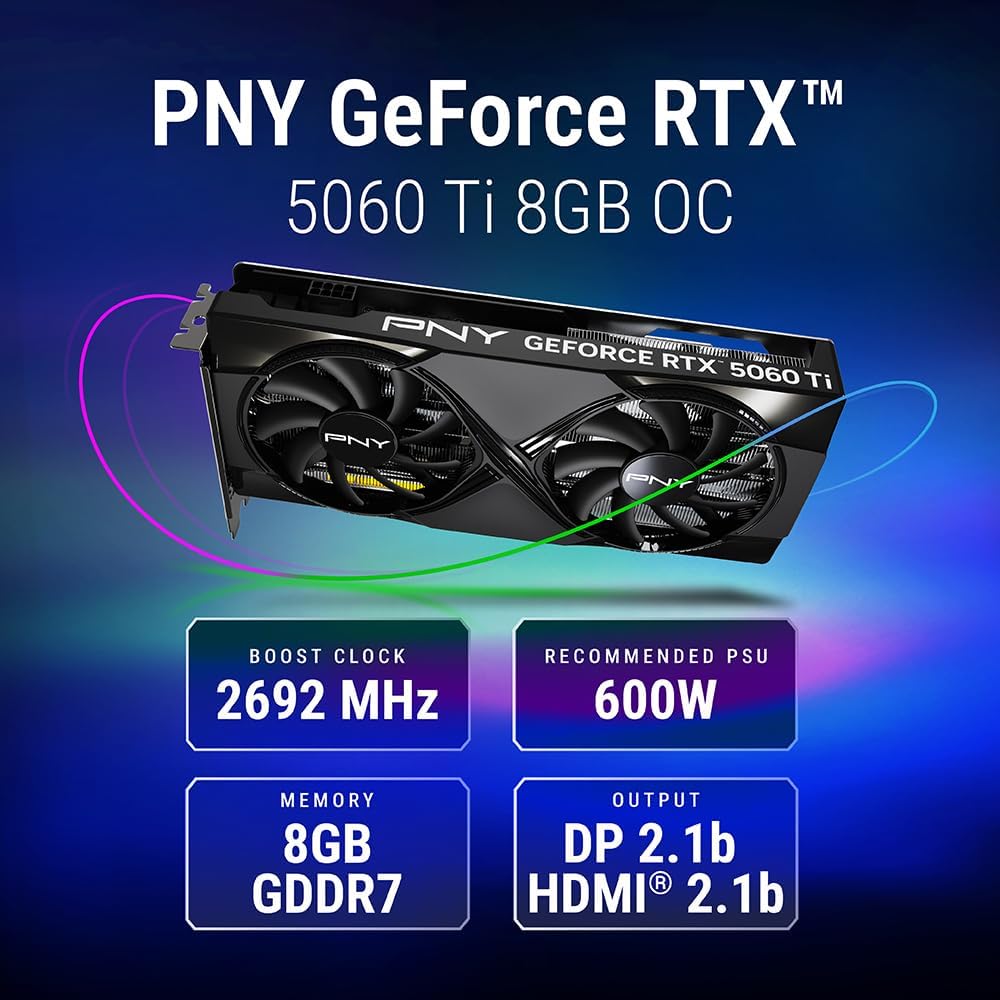
The 16 GB version of the 5060 Ti warrants its own conversation. The 8 GB version, by contrast, is the one creating the most buyer confusion — because on paper it trades blows with the B580 in raw GPU throughput, but trails significantly in VRAM headroom, and at a higher price.
The RTX 5060 Ti: Where NVIDIA’s Ecosystem Earns Its Premium
NVIDIA’s Blackwell architecture in the 5060 Ti brings real generational uplift for motion and compositing work, but the value story splits sharply between the 8 GB and 16 GB versions.
Reviewers at Tom’s Hardware found the RTX 5060 Ti delivers strong rasterization gains over its Ada Lovelace predecessor (the RTX 4060 Ti) and holds a measurable lead in CUDA-accelerated workflows — the kind that After Effects’ GPU renderer, DaVinci Resolve’s CUDA path, and most Cinema 4D GPU render engines are optimized for. CUDA acceleration isn’t just a performance preference; a substantial portion of After Effects’ GPU-accelerated effects explicitly target CUDA, meaning NVIDIA cards can access optimizations that neither Intel nor AMD cards fully replicate.
Puget Systems’ published GPU benchmark data for video and motion graphics consistently shows NVIDIA cards holding leads in After Effects specifically — a result driven by Adobe’s historically deeper CUDA optimization. In their benchmark methodology, GPU-accelerated preview performance, multi-frame rendering throughput, and GPU effects rendering all favor NVIDIA in After Effects by margins that compound across a day of work.
DLSS 4, NVIDIA’s AI-based upscaling and frame generation technology, is less directly relevant to motion design output than it is to gaming — but it does matter for real-time viewport performance in Unreal Engine-based motion pipelines, which are increasingly common in broadcast and experiential work.
The 8 GB version is the problem child. At $379, it sits $90–$130 above the B580, carries less VRAM, and still competes primarily on the strength of CUDA ecosystem lock-in. Aggregated reviews and owner reports are consistent: the 8 GB 5060 Ti is not the correct buy at that price for anyone who runs 4K comps with heavy plugin stacks. The GPU throughput advantage over the B580 doesn’t compensate for hitting VRAM limits on scenes where the B580’s 12 GB breathes freely.
The 16 GB version is a different proposition — and honestly, the more defensible one for working motion designers. At ~$429, it asks only $140–$180 more than the B580 and returns 16 GB of GDDR7 plus the full CUDA stack. If your pipeline is CUDA-dependent and you’re doing serious 4K or mixed 3D work, the 16 GB 5060 Ti is the upgrade that makes sense.
The Arc B580: Intel’s Best Argument for the Budget Tier
Intel’s Arc B580 arrived in late 2024 to better reviews than anyone expected from Intel’s GPU division. Ars Technica called it “Intel’s best GPU yet” and noted that the Battlemage architecture fixed many of the driver reliability issues that made earlier Arc cards difficult to recommend. By mid-2026, the driver story has matured considerably — owner reports across hardware forums and long-run reviews consistently note that the early instability concerns have largely been addressed through driver updates, though Intel’s track record remains shorter than NVIDIA’s.
The B580’s headline advantage is straightforward: 12 GB of GDDR6 at $249–$289 is genuinely hard to argue with at this price tier. For motion designers whose work runs in Premiere Pro, Resolve, or Blender Cycles rather than in After Effects’ CUDA-heavy pipeline, the B580 delivers competitive GPU throughput and substantially more VRAM headroom than the 8 GB 5060 Ti at a lower entry price.
Where the B580 runs into friction:
After Effects specifically. Adobe’s GPU acceleration in After Effects is more deeply optimized for CUDA than for Intel’s Xe architecture. PC Mag’s coverage of best GPUs for video editing notes that AE GPU-accelerated effect performance tends to favor NVIDIA, and that Intel’s implementation — while functional — leaves some performance on the table compared to a same-tier NVIDIA card in the same workload. If After Effects is your primary output environment, this matters.
Encoder support. NVIDIA’s NVENC hardware encoder, used for fast H.264/H.265 export in Resolve and Premiere, is among the fastest in its class. Intel’s Quick Sync is competitive for H.265 and AV1 export — in some tests it leads NVENC on AV1 — but the ecosystem of tools that explicitly support NVENC is broader. If your delivery workflow relies on NVENC-specific settings or NVENC-aware presets in tools like Handbrake or Resolve’s deliver page, that’s a real consideration.
The driver longevity question. NVIDIA has 20+ years of driver maturity behind it. Intel has roughly 18 months of the Battlemage generation under its belt. For a personal rig that you update regularly, this is manageable. For a production environment where a driver update can break a pipeline, the calculus is more conservative.
Showing the Math: Who Pays What for What
Let’s be explicit about the budget scenarios.
Scenario A — Freelancer, After Effects-primary, 4K deliverables, tight budget: The 8 GB 5060 Ti is the wrong choice here. The B580 at $260 gives you 12 GB of VRAM and competitive Premiere/Resolve performance. You save $120 over the 8 GB 5060 Ti and gain VRAM headroom. The AE CUDA gap is real but manageable if you’re not running the most GPU-intensive effects stacks. If budget is $300 or below: Arc B580.
Scenario B — Freelancer, After Effects-primary, 4K with heavy plugin use, can stretch to $430: The 16 GB 5060 Ti earns the premium. You get VRAM that won’t cap out during complex Element 3D or Octane Render sessions, full CUDA acceleration for AE, and a card that won’t force a GPU upgrade when you push into 6K or start running GPU-based renderers. If budget can reach $430 and AE is core: RTX 5060 Ti 16 GB.
Scenario C — Motion designer transitioning into Unreal Engine-based work or real-time broadcast graphics: NVIDIA wins here by ecosystem. DLSS 4 support, Lumen and Nanite GPU utilization in Unreal, and the RTX feature set matter tangibly in real-time pipelines. The 16 GB 5060 Ti is the entry point for this workflow; the B580 isn’t the right tool. If Unreal or real-time rendering is in your future: RTX 5060 Ti 16 GB, or save longer for a 5070.
Scenario D — Blender Cycles, DaVinci Resolve Fusion, or open-source-first pipeline: The B580 is genuinely competitive here. Blender’s OptiX path favors NVIDIA, but Blender’s HIP/oneAPI path for Intel Arc has improved substantially and the VRAM advantage at this price tier compensates. Resolve’s OpenCL path works with Arc. If your pipeline is Blender + Resolve and budget is $300 or below: Arc B580.
The Decision Frame
The 8 GB RTX 5060 Ti is, frankly, the most confusing product in this tier. It costs more than the B580, has less VRAM than the B580, and earns its premium only through CUDA ecosystem benefits — benefits that matter most in After Effects but that many users won’t fully realize. Tom’s Hardware reviewers noted that NVIDIA’s decision to ship an 8 GB SKU at this price point drew significant criticism, and aggregated buyer sentiment reflects the same frustration.
The cleaner decision is binary:
- Under $300, or Premiere/Resolve/Blender-primary: Arc B580. Take the VRAM, accept the CUDA trade.
- $400–$430, or After Effects/Unreal-primary: RTX 5060 Ti 16 GB. Pay for the ecosystem and the headroom together.
The 8 GB 5060 Ti exists, but it shouldn’t be your first call unless you find it deeply discounted below the B580’s street price — a scenario that happens occasionally as inventory clears.
One final note on timeline: if your current GPU is a 2060 or older and you’ve been deferring this purchase, the B580 is available now at consistent street pricing and the 16 GB 5060 Ti has stabilized after its launch window. Neither card requires waiting. The window to think rather than act has closed.